This activity can be performed by the following roles:
Spender
Treasurer
Administrator
Before showing the steps to be taken, it is necessary to consider that this functionality must be requested by the company administrator from the Focaltec Control de gastos Support department, and there may be an additional cost and the activation time may vary.
This guide is a reference for using the “Reconciliations” feature, which may vary according to your company's needs if a special configuration has been requested.
Basic rules
Before you begin, please consider the following:
1. Bank statements provided by banks have a special format (Excel, PDF, CSV, etc.), so please do not edit this file.
If you need to review it, please make a copy of the document, as opening and saving it in Excel, for example, is likely to damage the file format and prevent it from being uploaded to the application.
If you do not follow this instruction and the application does not allow you to upload the document, you will need to download the format from the bank again.
2.- Once the account statement has been uploaded, the user can reconcile their receipts.
3.- If more than one account statement for the same month is uploaded, the application will only upload transactions that have not yet been identified.
To add the account statement with the summary of transactions, the following actions must be taken:
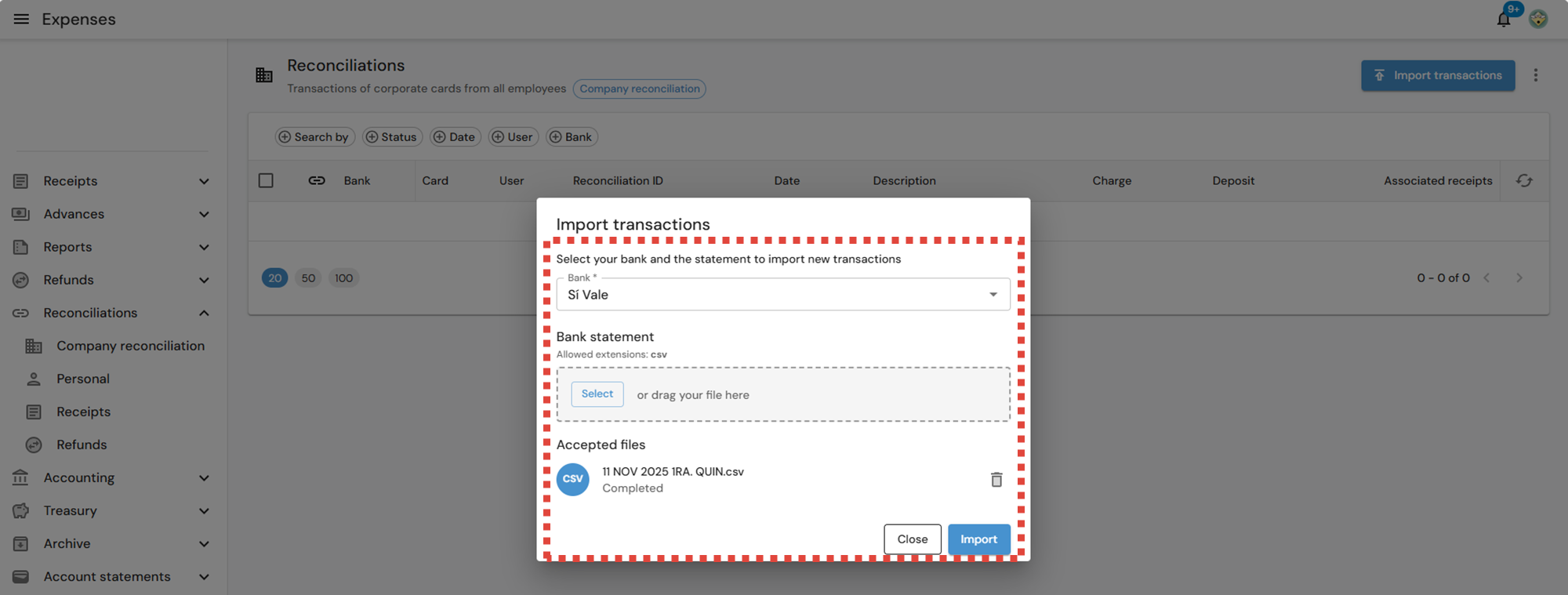
Log in to the Focaltec Control de gastos portal and select the option “Reconciliations > Company > Import transactions.”, the portal lists the transactions from the account statement that have already been added from past records.

In the next window, you must add the following information:
Bank. This is a drop-down menu where the user must select the bank from which the transactions originate.
Account statement. You can “Select or Drag and Drop” to upload a file from your computer with the account statement information to be uploaded.
After adding the information and validating that the data is correct, click “Import”.

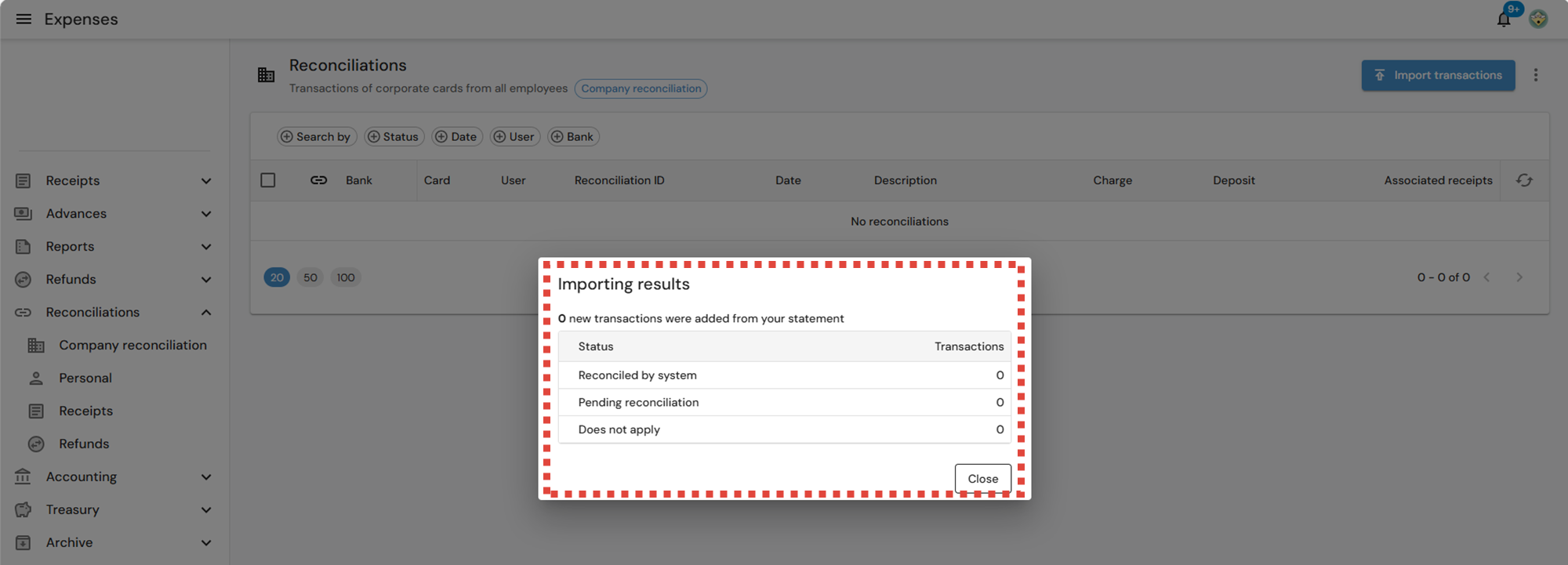
Finally, the portal displays a window titled “Import Results” showing the following:
Reconciled by system: transactions that automatically match existing receipts or records.
Pending reconciliation: transactions that require manual review.
Not applicable: records that do not correspond to reconcilable transactions.
Click “Close” to view the transactions that have been recorded.