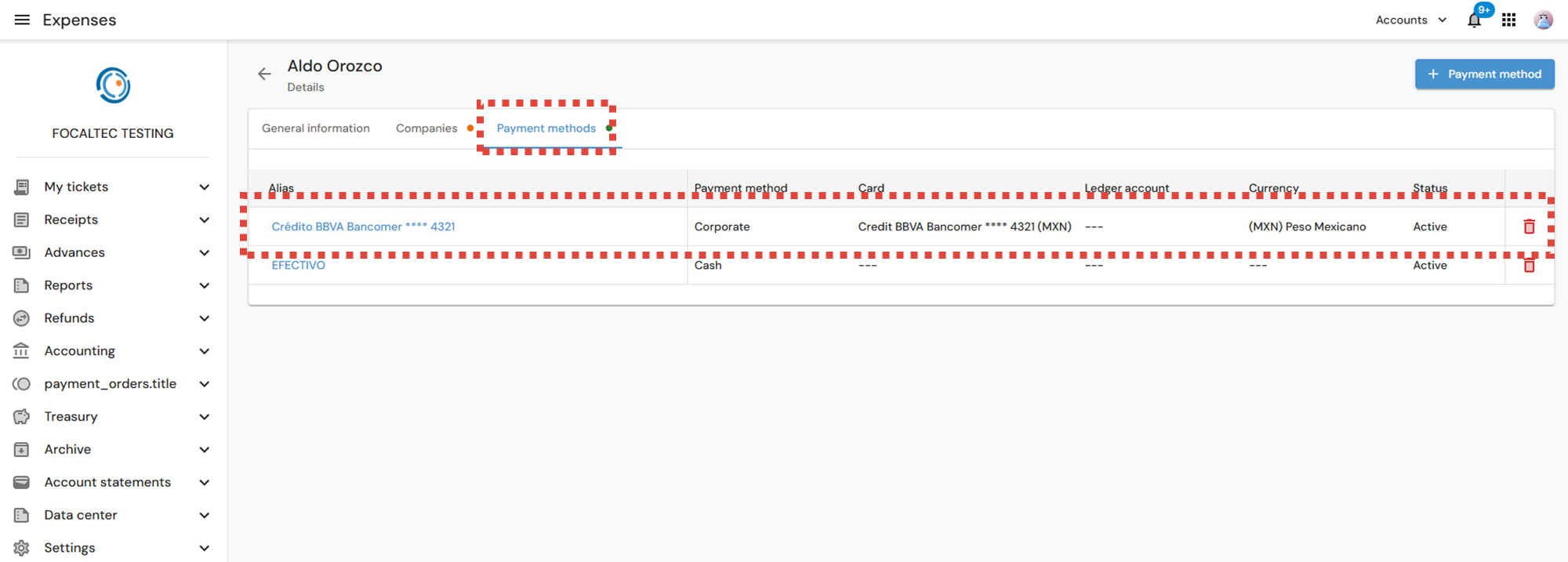
After starting to use the Focaltec Control de gastos portal, a user may need to add a new payment method.
As an Administrator, you can add a card as a payment method for each user from your workspace.
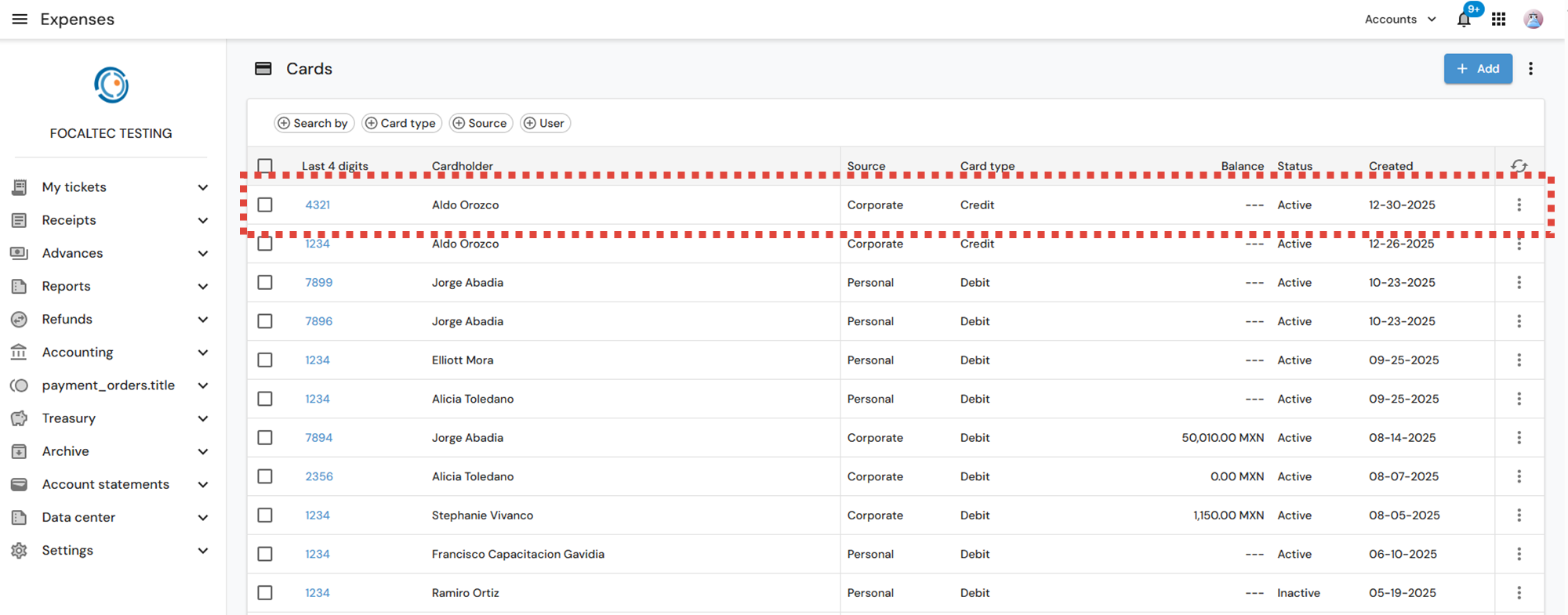
After logging in, go to the menu “Account statements > Cards > Click on + Add”.
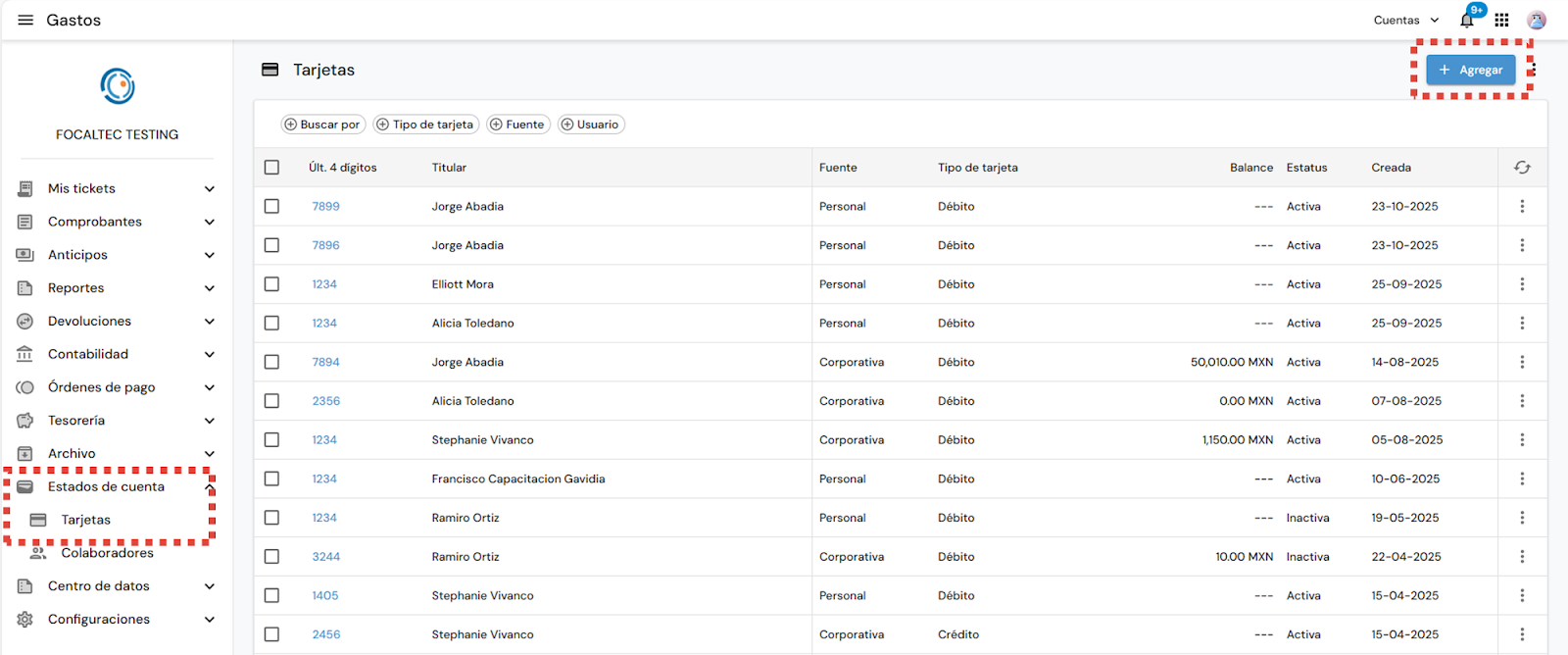
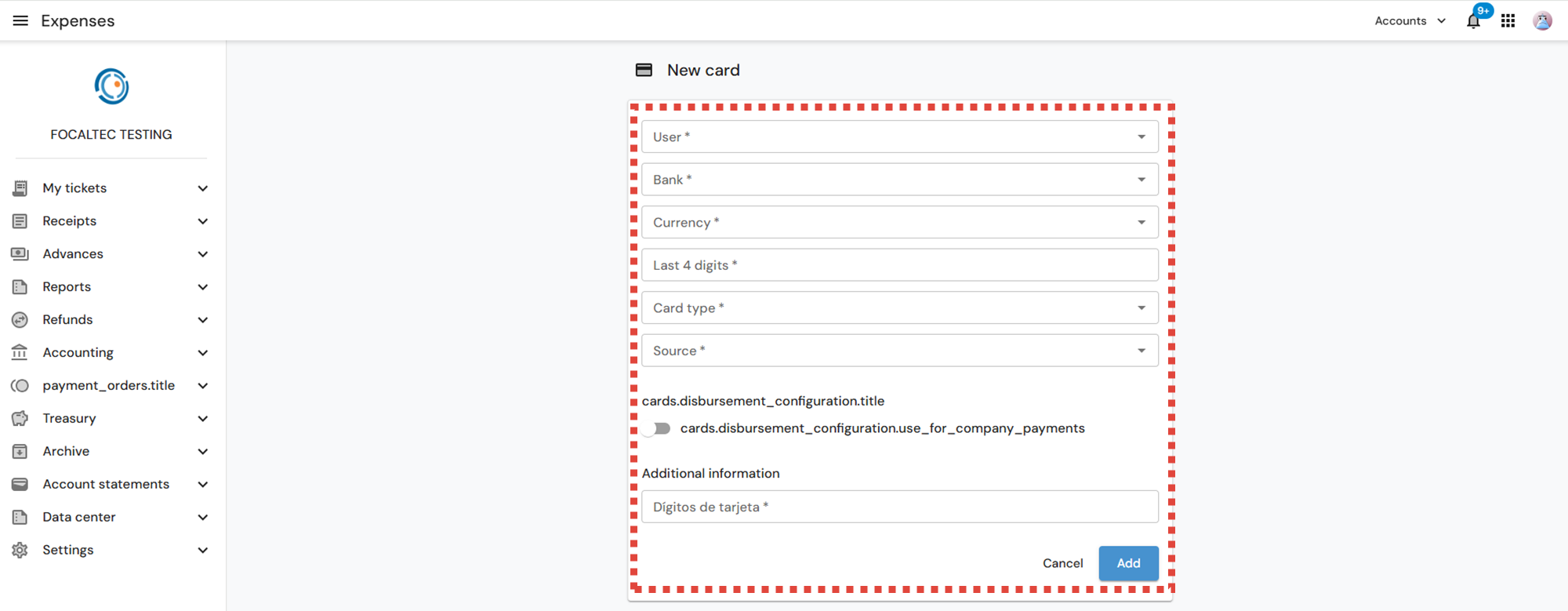
Next, you must enter the following information:
User. Select the user for whom the new card will be created.
Bank. Select the name of the banking institution where the card is held.
Currency. Select the currency in which the card will be registered.
Last 4 digits. Enter the last 4 digits of the card.
Card type. Select the type of card to be registered (Credit-Debit).
Source. Select the source of the card to be registered (Personal-Corporate).
Dispersion settings. Enabling this option establishes that payments from the company can be received through this card.
Additional information. Enter the digits of the card being created.
Once you have finished entering the information and if the data is correct, click “Add”.
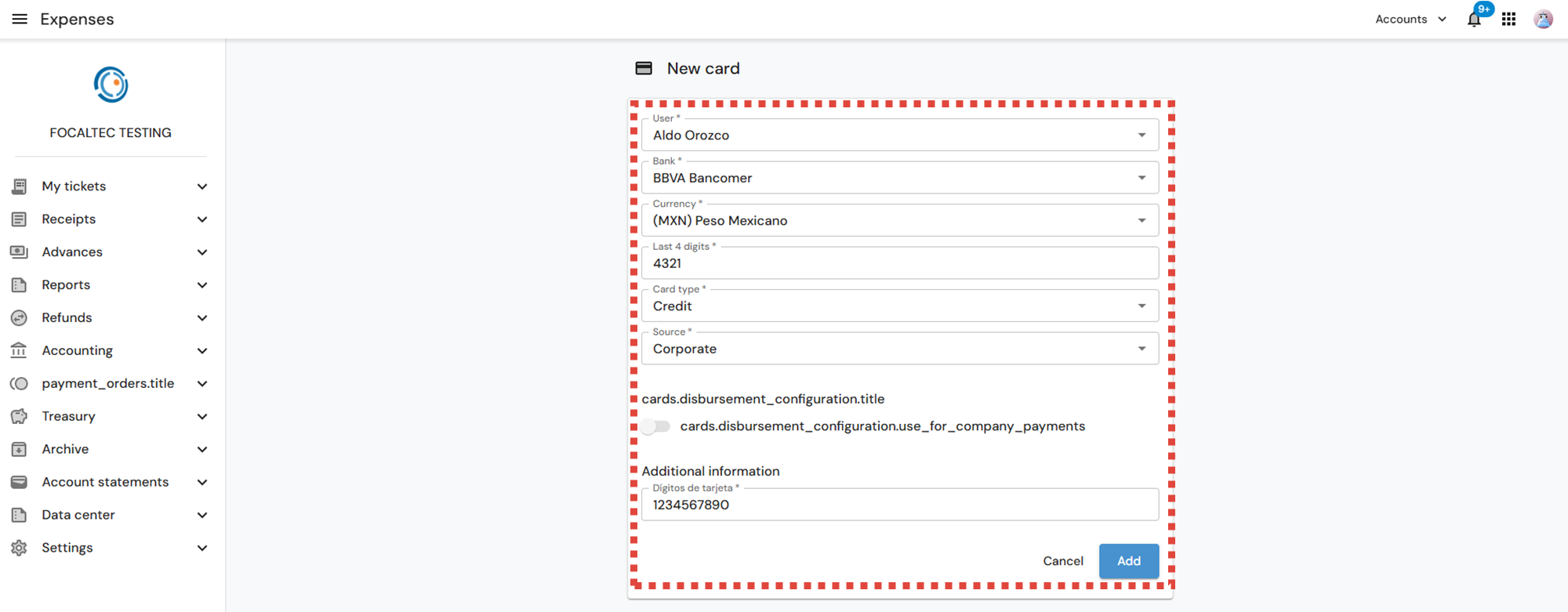
You will see a notification confirming that the card has been created: “The xxx card has been created”.
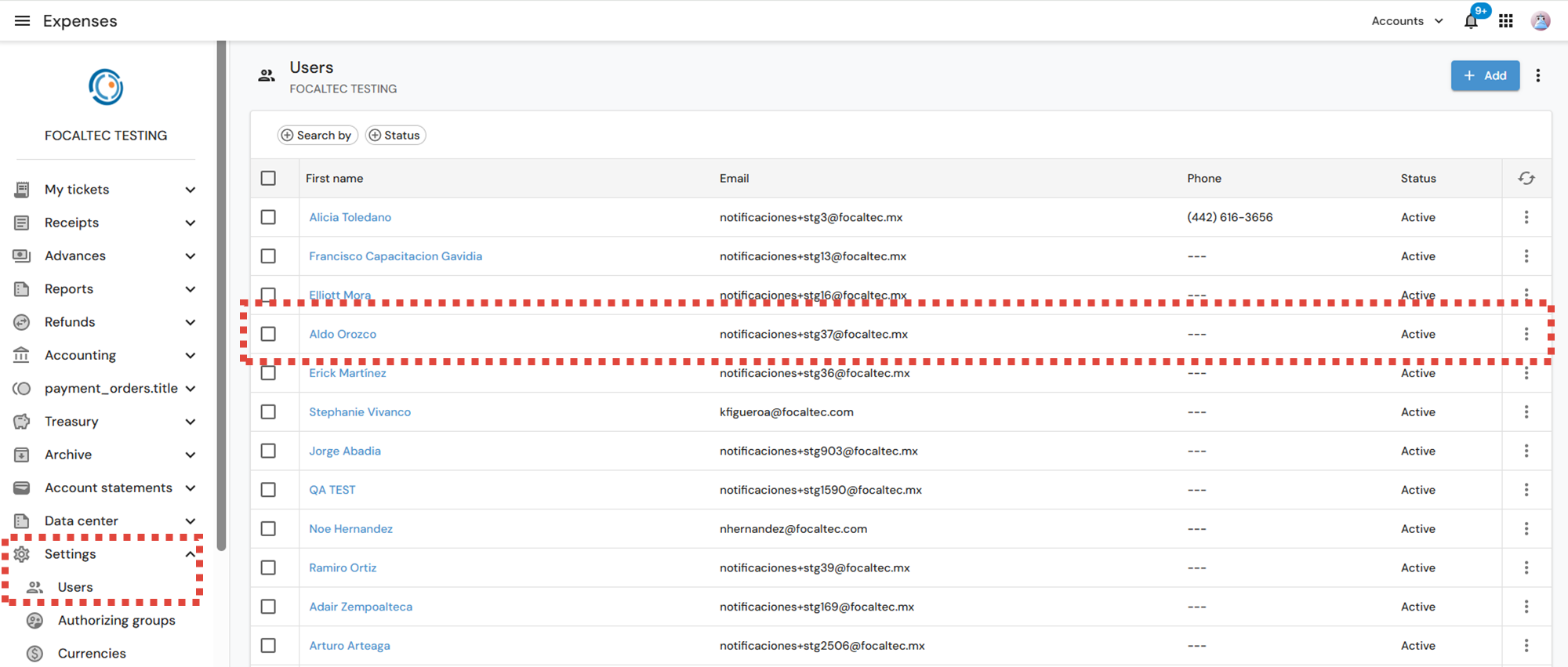
Now the next step is to associate the card with the User. This is done from the menu “Settings > Users > Click on the User's name”.
In the User details section, click on “Payment methods > + Payment method”
You will see the card created and associated with the User.