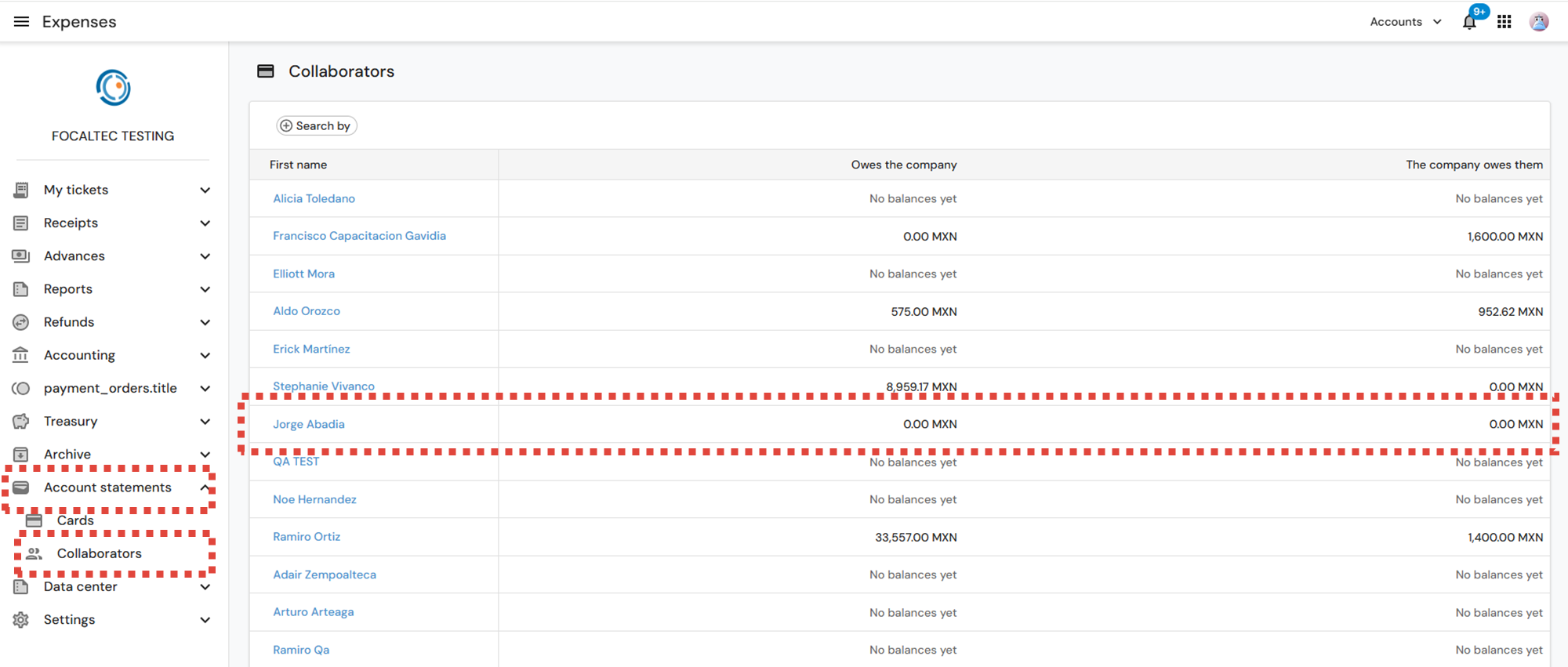
To view each employee's account status information from the menu, click on “Account statuses > Employees”.
This screen displays a list of registered employees, along with their individual account status. The information displayed includes:
Employee name: Identifies each person associated with expenses, advances, or receipts.
Owed to the company: Shows the amount that the employee owes to the company.
Owed by the company: Indicates the amount that the company owes to the employee.
Balances in MXN (Currency): All amounts are shown in the currency type.
To view the information individually by user, click on the employee's name.
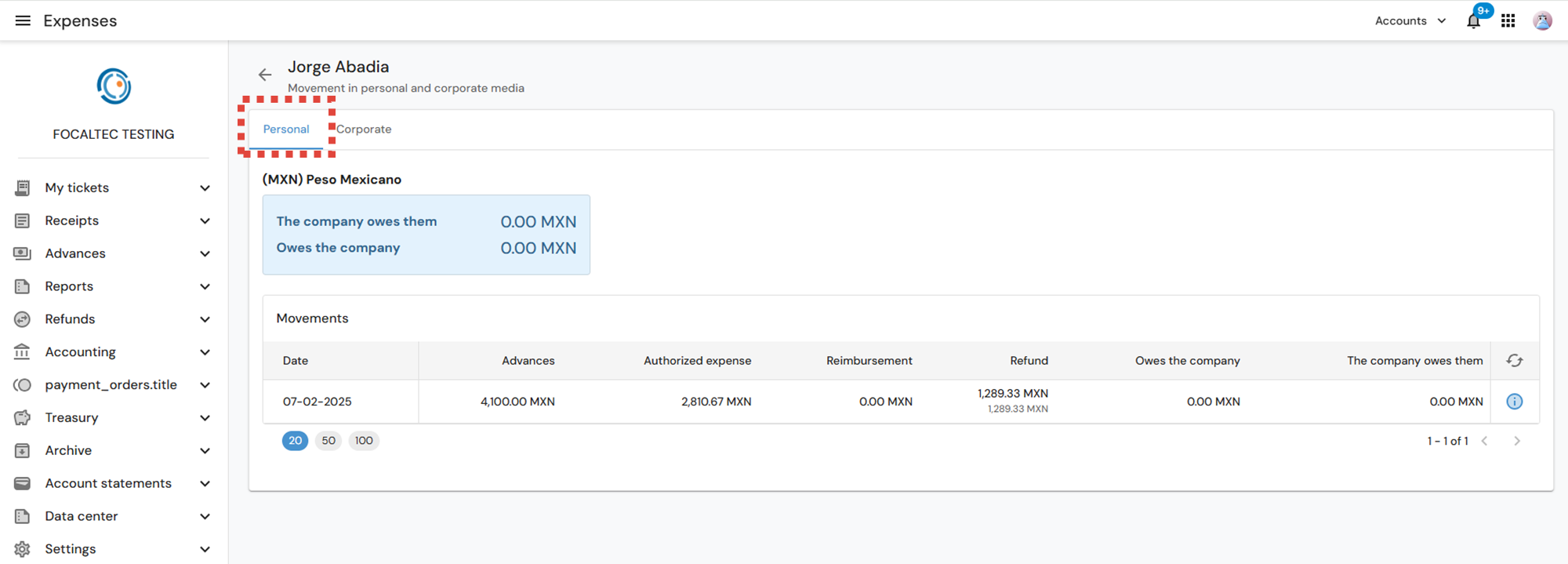
In the details for each employee, there are two tabs (Personal - Corporate), in the Personal tab, the information available is:
Type of currency in which transactions are presented.
Balance summary:
The company owes you: Amount that the company has yet to pay the employee.
Owed to the company: Amount that the employee has yet to repay.
Movements section, where registered transactions are listed, showing:
Date of transaction.
Amount of advances granted.
Amount of authorized expenses.
Amount of reimbursements.
Amount of refunds.
Resulting balances for both parties.
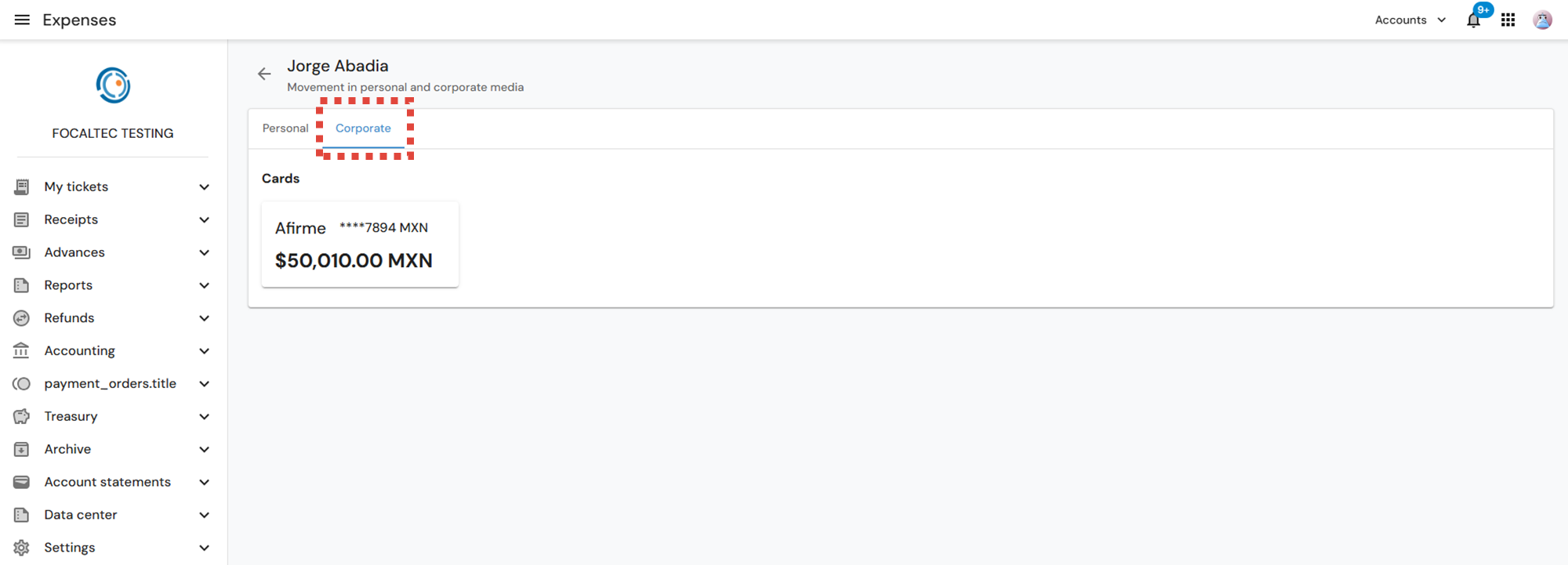
And the “Corporate” tab displays the following information:
Check the available corporate cards, verifying that they are correctly assigned to the employee.
Review the available balance on each card before making purchases or authorizing charges.
Use the information as a reference for planning and controlling corporate expenses.
Validate the availability of funds, avoiding overdrafts or misuse of the card.