This activity can be carried out by:
Administrator
Currently, in Focaltec Portal de Proveedores, the fields in digital supplier files can have an expiration date based on predefined terms and frequencies (Monthly - Annual). However, there are critical documents that require a specific expiration date for a supplier's digital file field, where the User (Administrator) is allowed to specify an expiration date manually, without affecting the expiration date set in the fields of other suppliers.
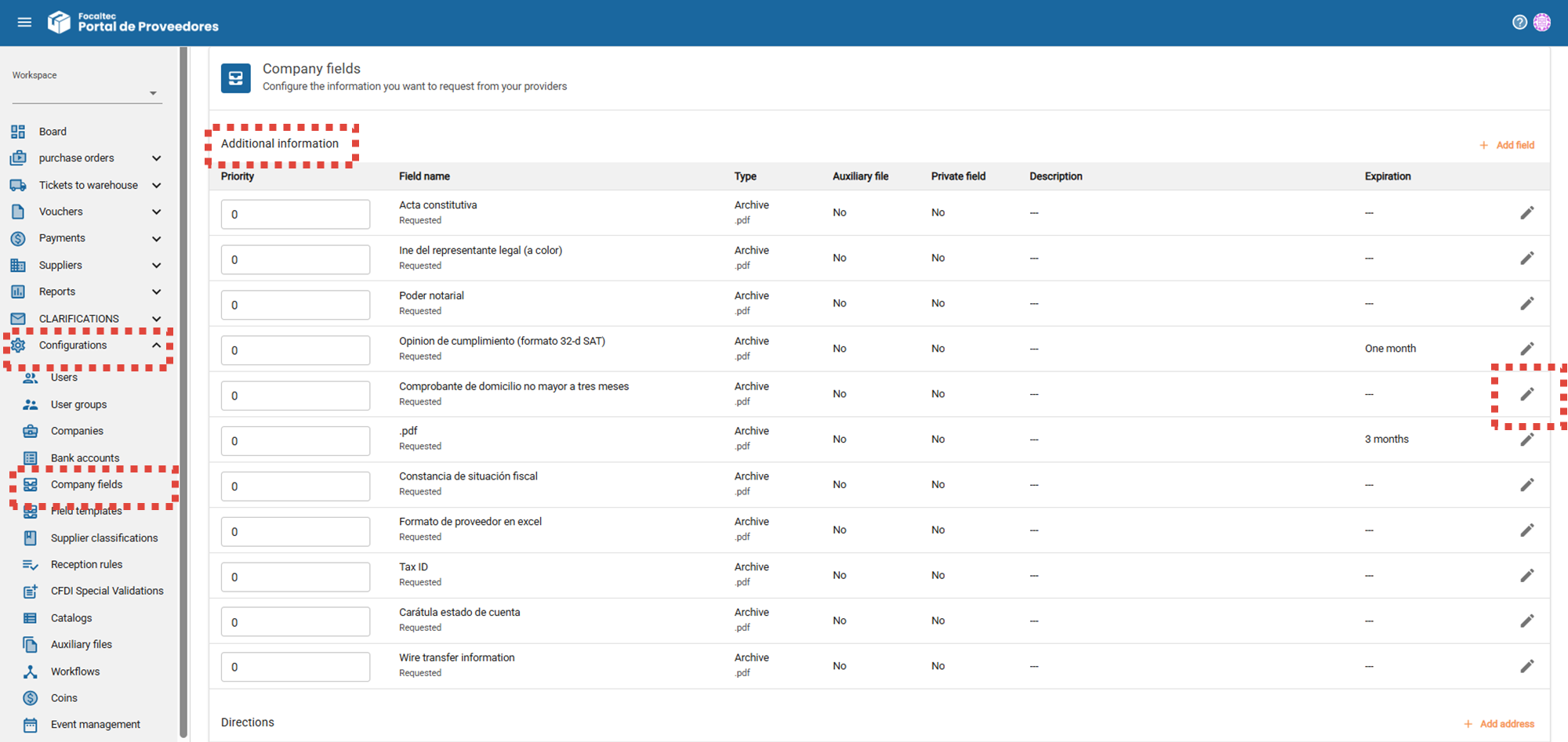
The Administrator must go to the Menu “Configurations > Company fields > Additional information > Click edit.” (on the field)”.

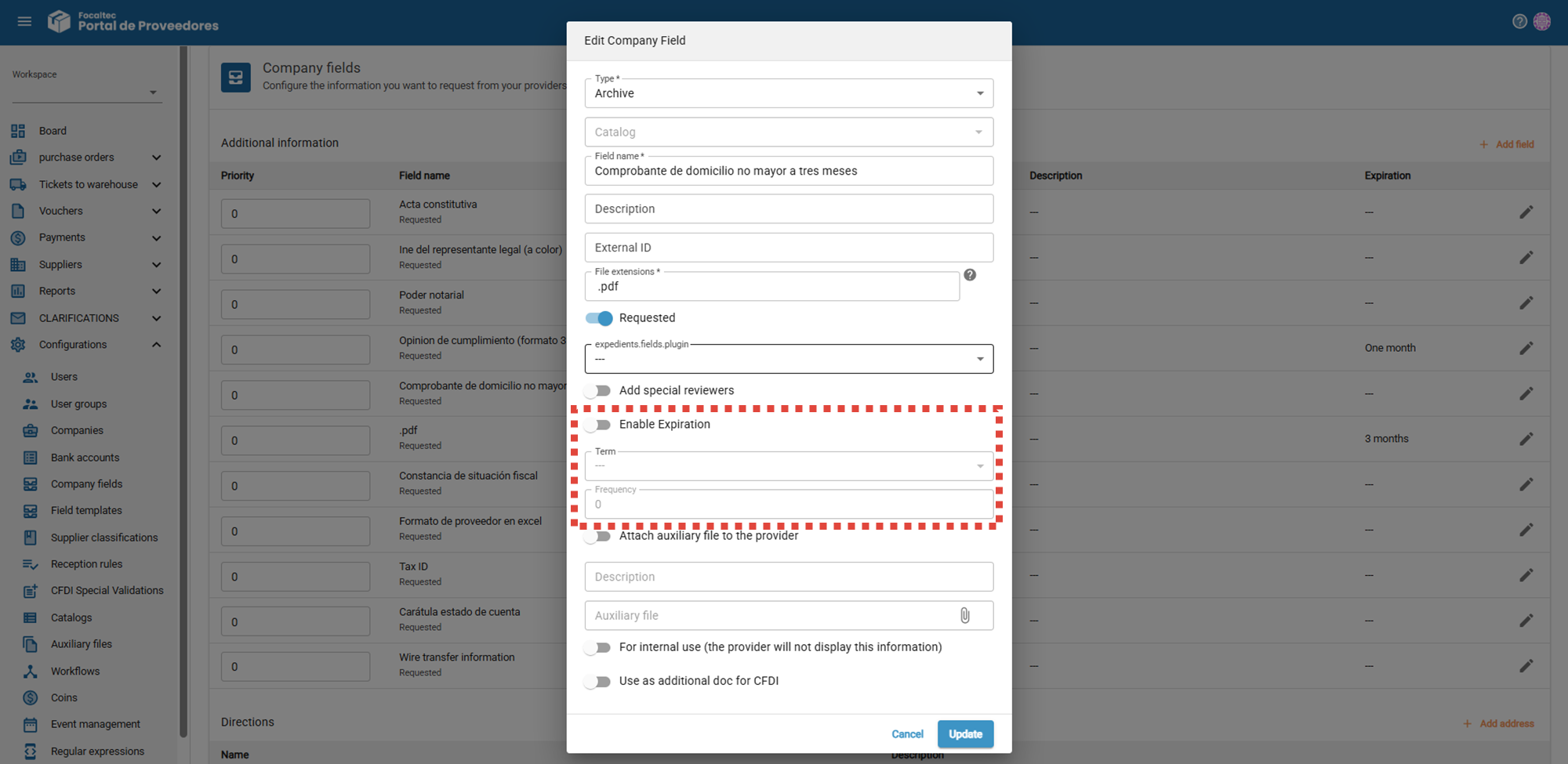
The portal displays a window where you can see the information used to create the field. In the “Enable expiration” section, you must select “Enable”, and select “Custom” in the “Term” option, a message will appear indicating “The expiration date will be defined during the expedient validation process”, review and, if everything is correct, click “Update”.
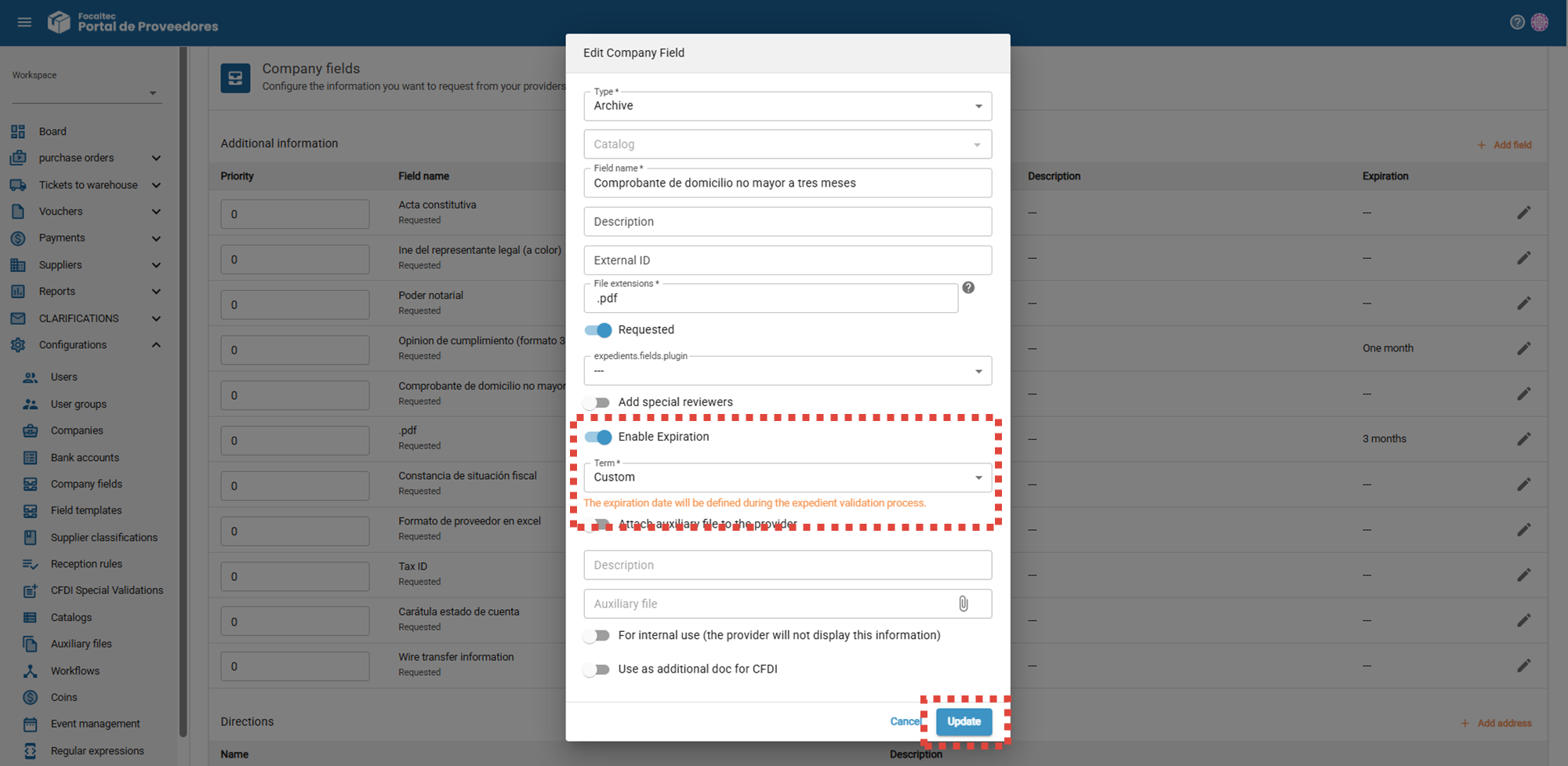
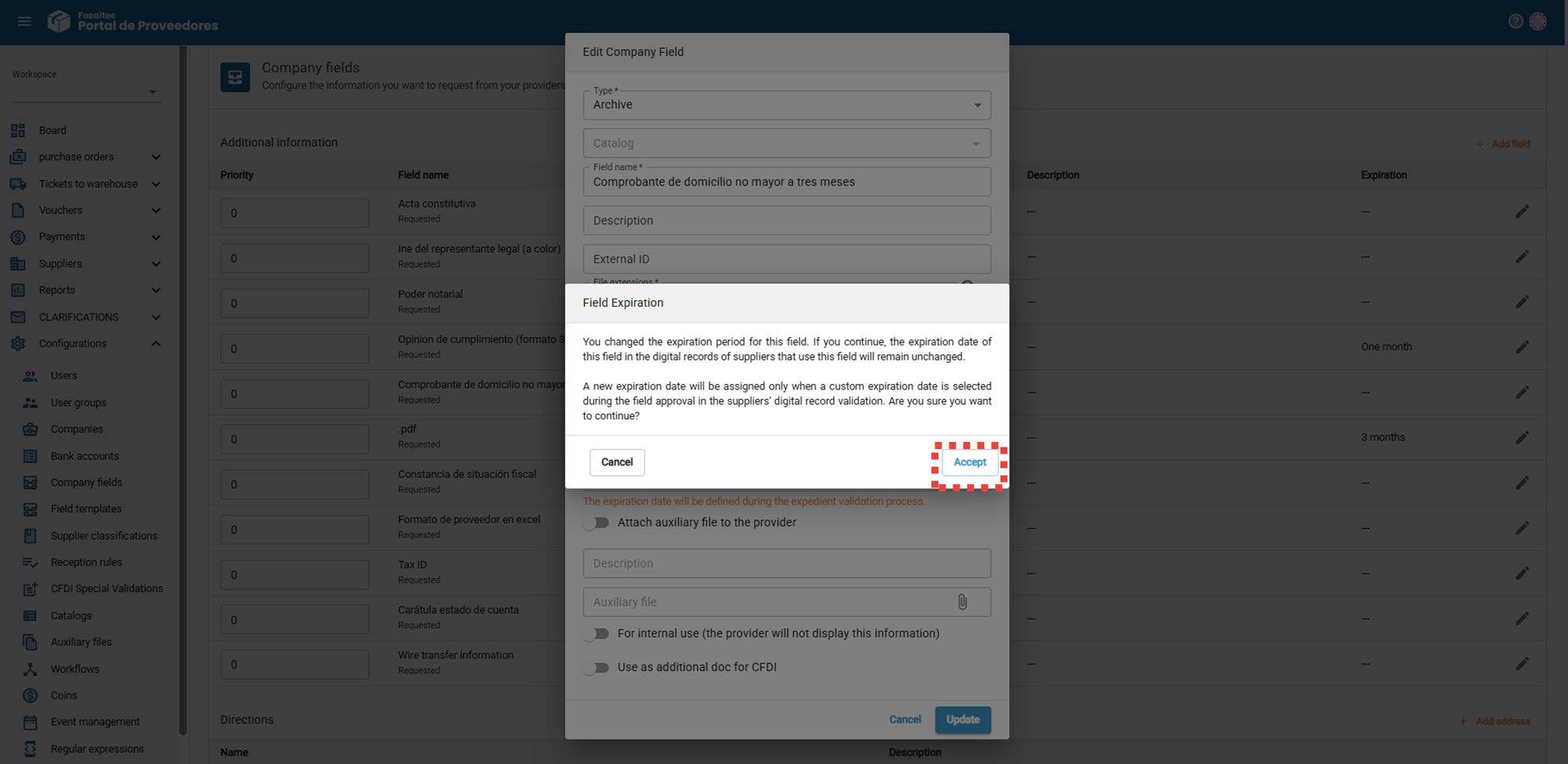
The following message will appear, confirming that the expiration date of the field will be assigned during validation of the field in the digital file. Are you sure you want to continue? Click “Accept”.
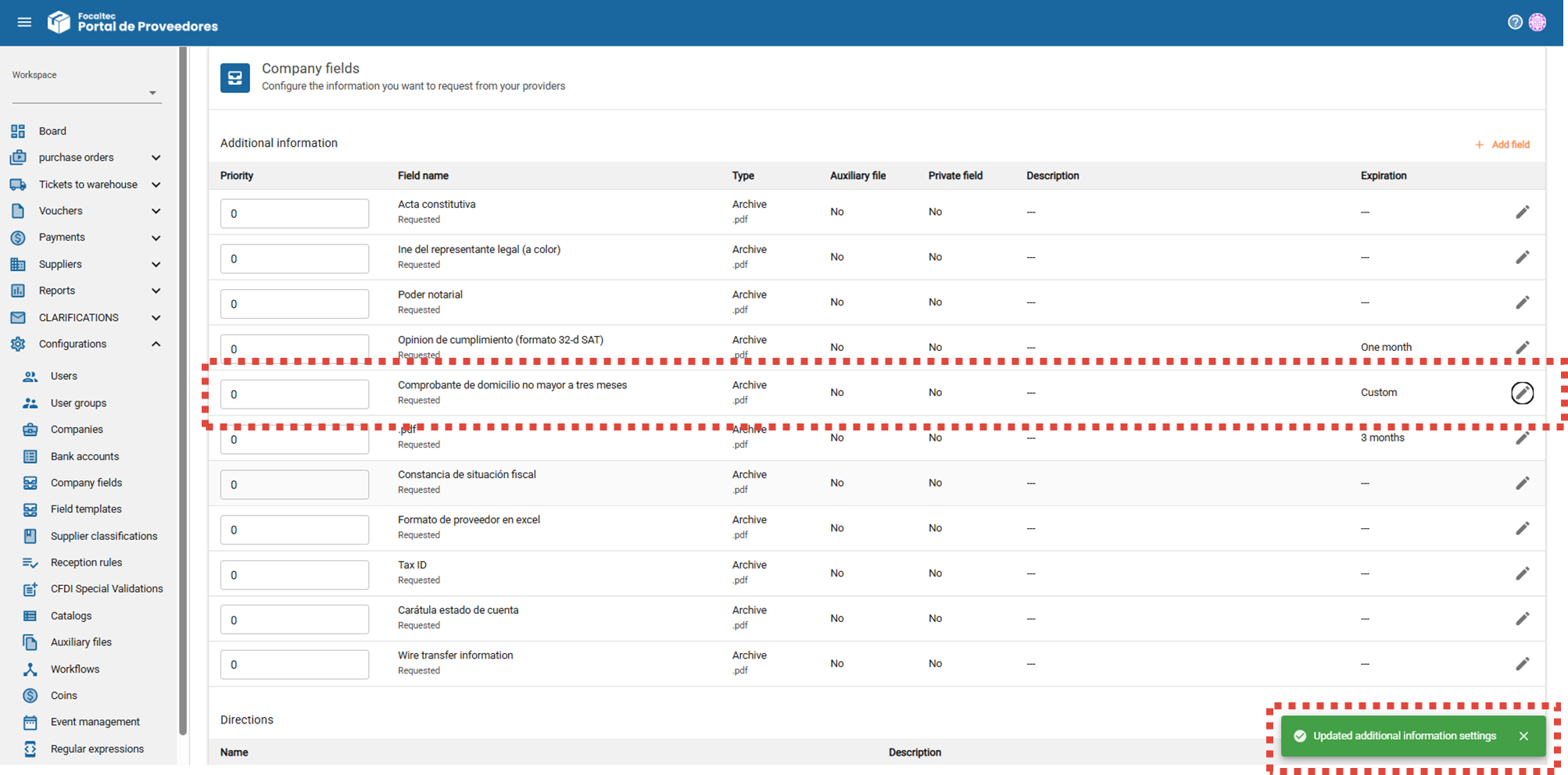
To conclude, the portal displays a message confirming that the update has been completed: “Updated additional information settings”, in addition, in the “Expiration” column, you can see that it now says “Custom”.