
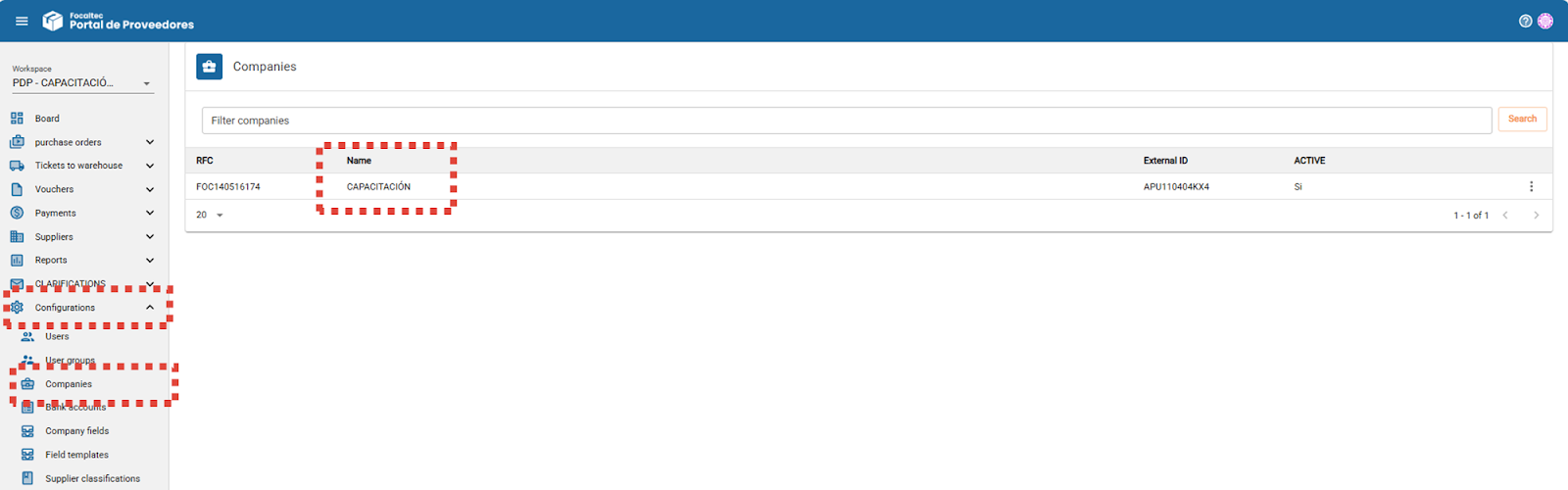
As an Administrator, from the menu “Configurations > Companies > Click company name”, you can view the information with which the company was registered and registered.
There are two options that can be enabled/disabled that will trigger an action for the Supplier when uploading a CFDI.
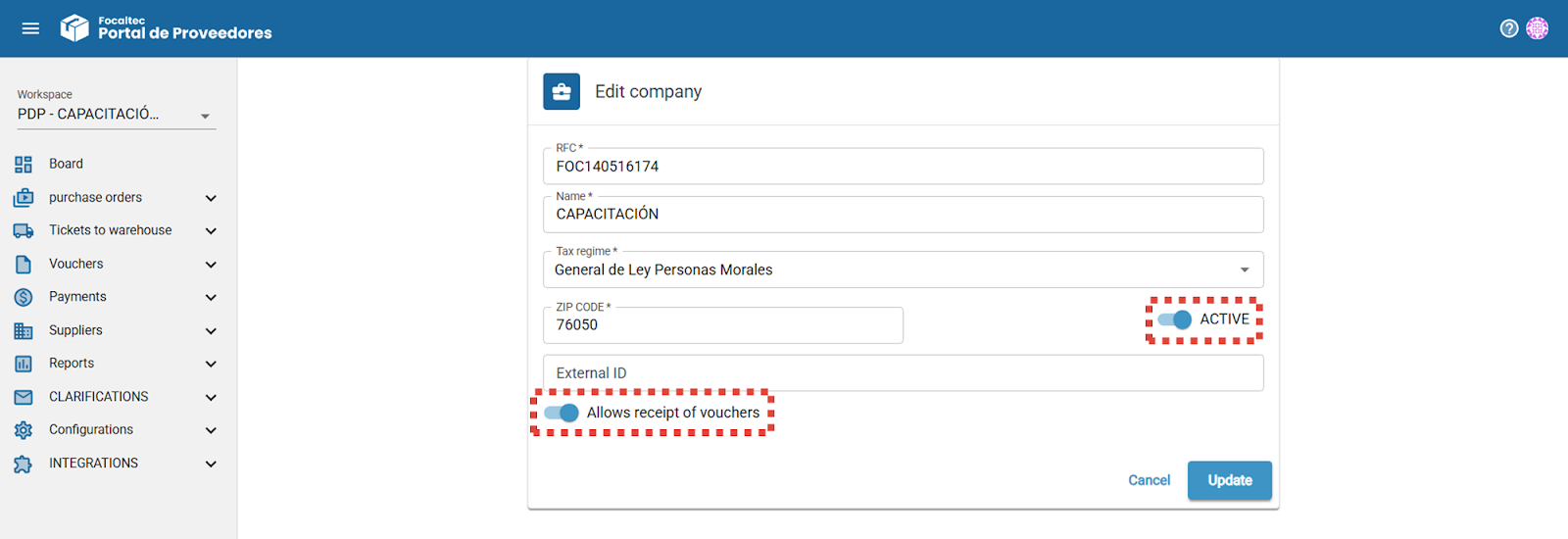
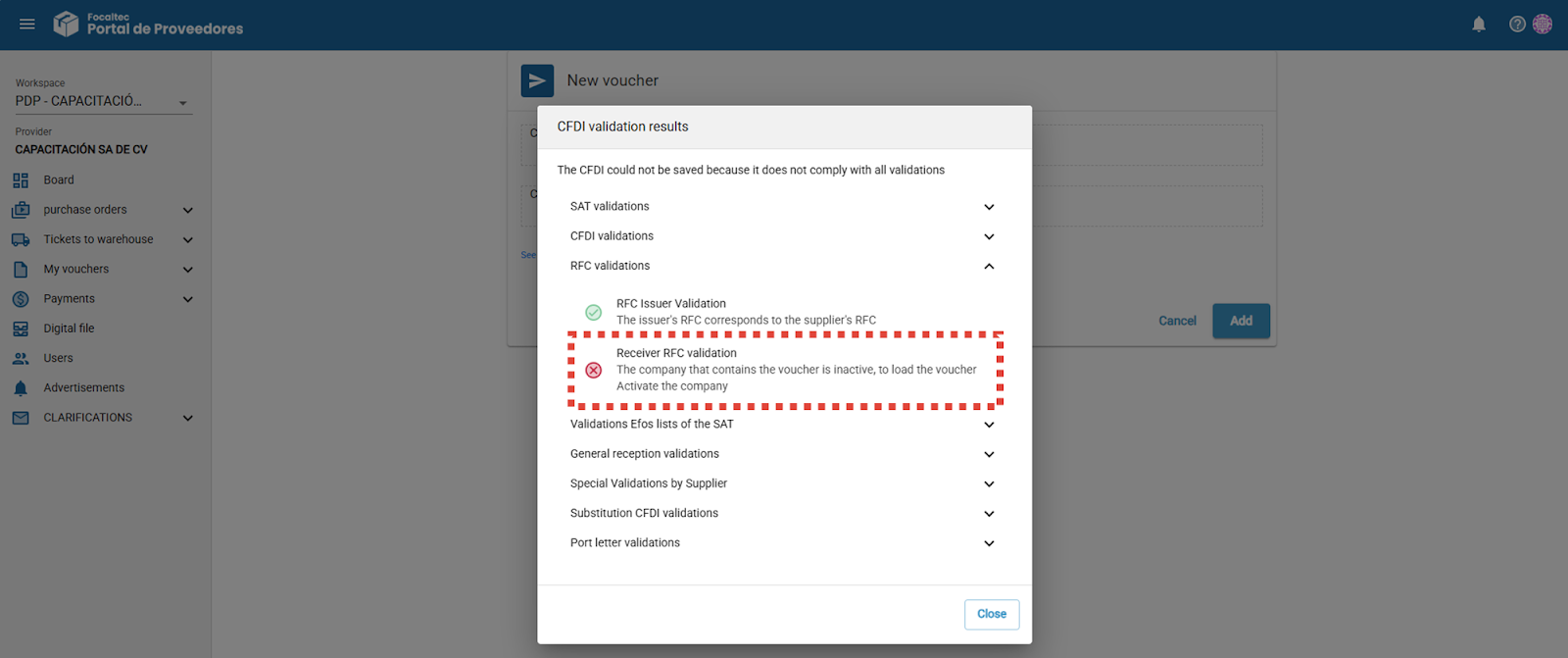
Active.
When this option is set to “Active”, the Supplier can enter a receipt as usual.
When it is “Inactive”, when the Supplier wants to enter a receipt, the portal displays an alert indicating that the company is inactive. In this case, the Supplier must contact the customer.
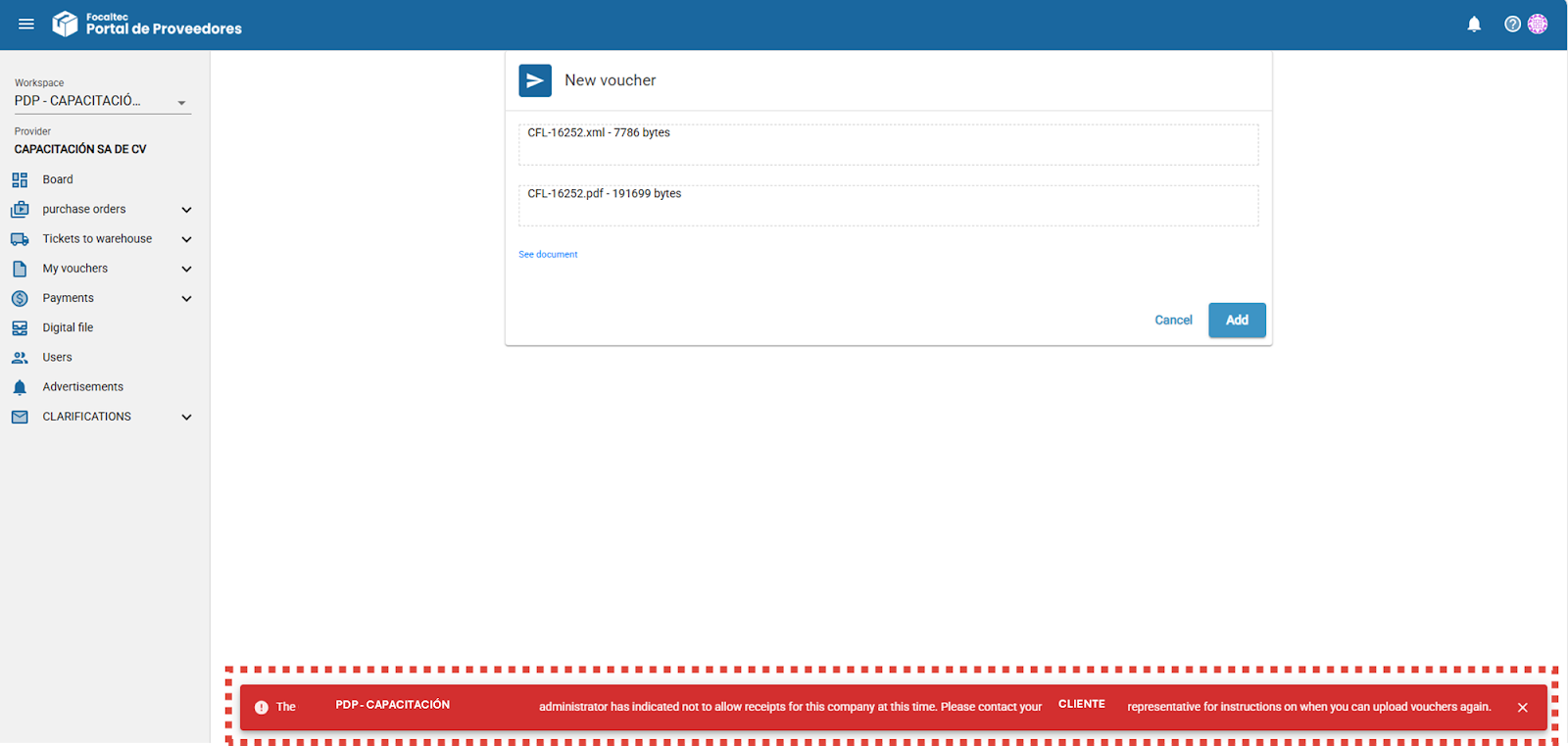
Allows receipt of vouchers.
When this option is set to “Active”, the Supplier can enter a receipt as usual.
When it is “Inactive”, when the Supplier wants to enter a receipt, the portal displays an alert indicating that the customer has indicated that they do not want to receive receipts at this time. The Supplier must contact the customer to find out when receipts can be uploaded.
You can find more information about the functionality of the “Companies” option in the following video.