Currently, when a supplier updates their bank account information, that account is used for payment processing in the PDP payment module without having been approved by the validators of their digital file.
This creates risks or potential gaps in information within the payment process, as the data for this bank account may not be up to date at the time a payment is made to the supplier. For example, if the director’s assistant has the role of Supplier Administrator and registers her personal bank account, there is a risk that the transfer will be made to her without undergoing a prior review process.
Steps to configure the system so that payments to suppliers are only made when the digital file is marked as “Accepted”?
Please contact support to request this configuration by submitting a ticket or sending an email to soporte@focaltec.com or ayuda@focaltec.com with the subject line “Allow payments only to suppliers with approved records.”
Focaltec Support will need to verify that the option “Allow payments only to suppliers with approved files” is enabled and configured.
Focaltec will notify you that the configuration has been completed, and the “Administrator” can continue with their tasks.
The Administrator can verify in their workspace that the configuration has already been completed when:
After the supplier uploads and submits their invoice.
The invoice goes through the appropriate workflow, and depending on the company’s settings, it may have the status “Invoices sent to ERP” or appear in a payment order with the status “Pending execution”.
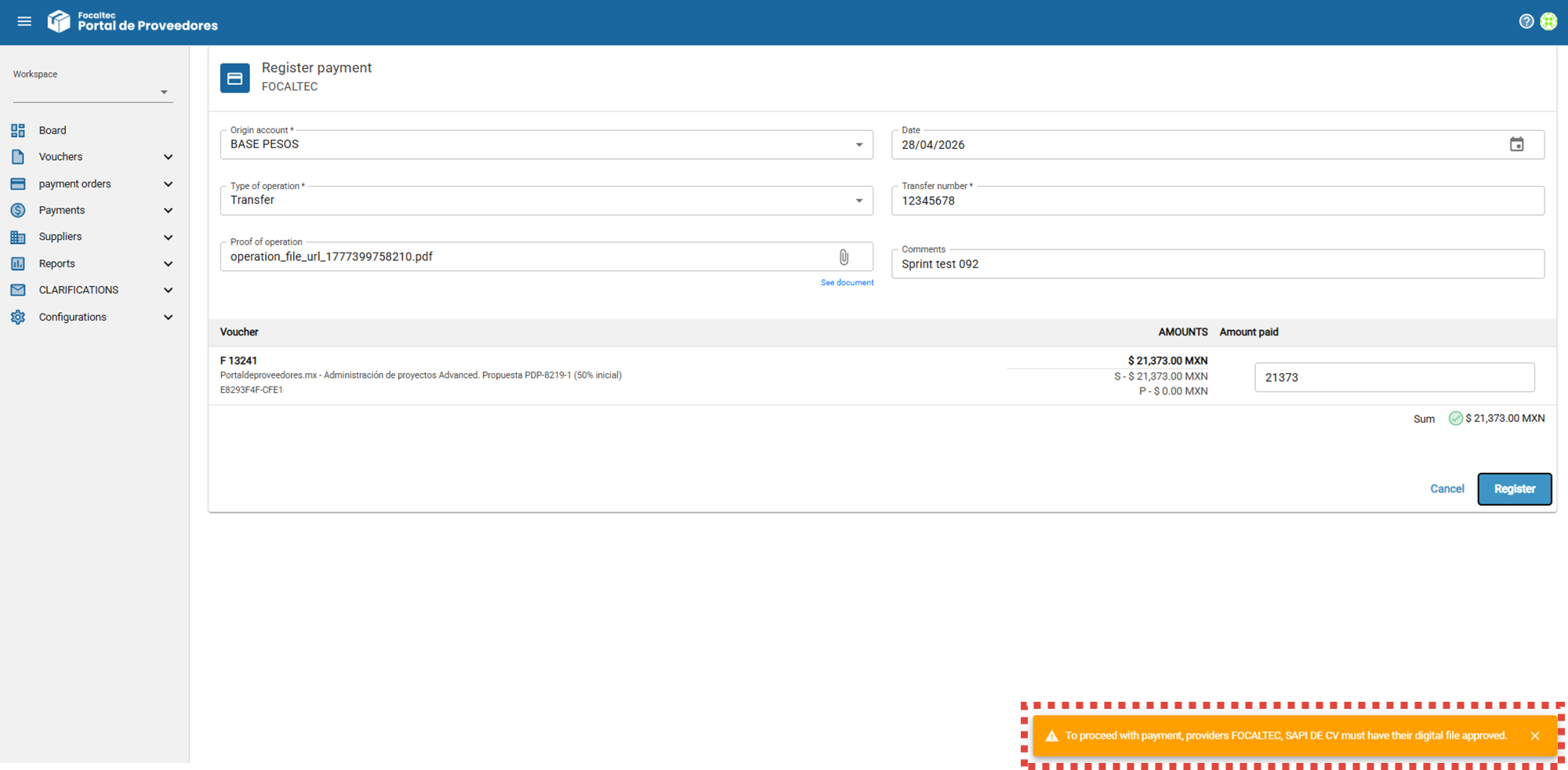
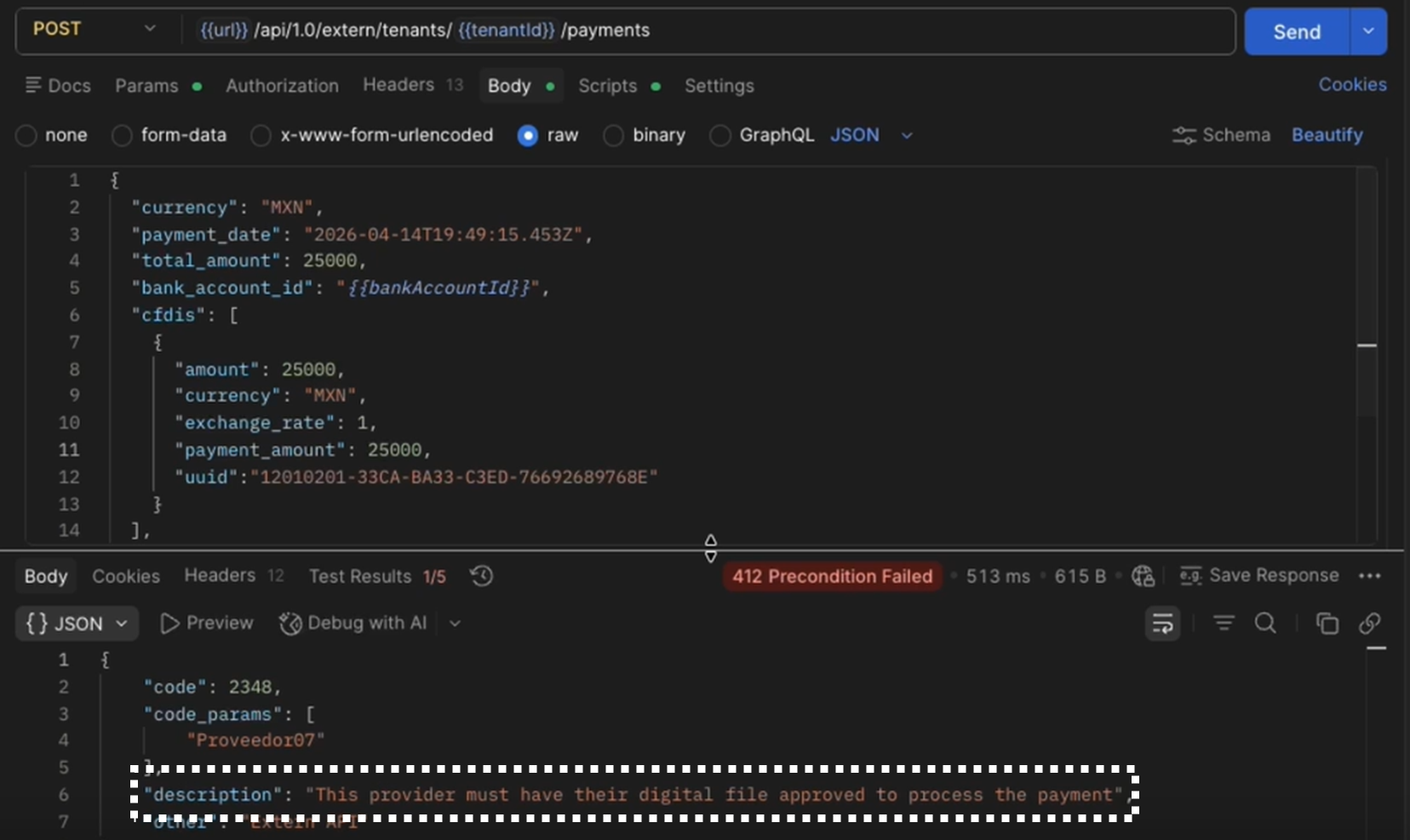
Depending on your company’s workflow and settings, these are the messages you may see when attempting to make a payment to a supplier whose digital file does not have the “Accepted” status.
Processing payments via API/ERP.
Processing payments using payment orders.