Context.
Some companies include restrictions in their policies that limit the number of advances an employee can request.
This setting defines the maximum number of advances that a user can have associated with expense reports that have not yet been settled.
When the total amount of advances reaches or exceeds the configured value, the system will block requests for new advances until one of the associated expense reports is settled.
Focaltec Steps to enable the maximum number of outstanding advances in Focaltec Control de gastos.
Please contact support to request a configuration by submitting a ticket or sending an email to soporte@focaltec.com or ayuda@focaltec.com, with the subject line “Activate maximum number of outstanding advance payments in CDG”.
Support will need to verify that the option under “Account > Settings > Maximum number of outstanding advance payments” is enabled and configured.
The ticket must specify the maximum number of outstanding advance payments allowed in CDG: 1, 2, 3, etc.
Support notifies the customer that the configuration has been completed.
Example.
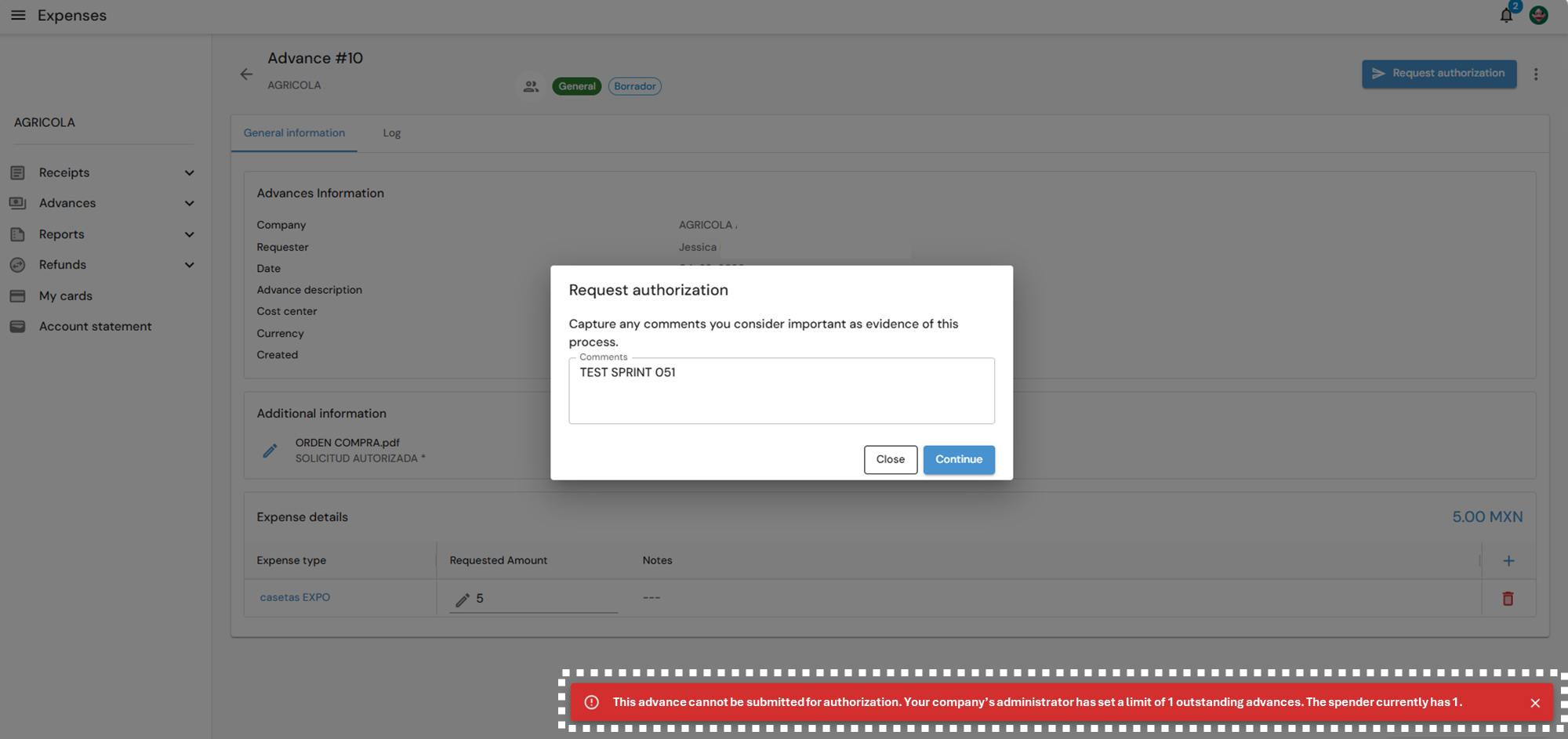
Once the maximum number of outstanding advances has been set in Focaltec Control de gastos, and the spender reaches or exceeds that limit, the system displays the following alert when the spender requests authorization for a new advance: “This advance cannot be submitted for authorization. Your company’s administrator has set a limit of XXX outstanding advances. The spender currently has XXX”.